Arrow Games


Arrow Chain

Hexa Arrows
Arrow Cube 3D

Rotate Rings
Pigeon Pop
Arrow Puzzle Go
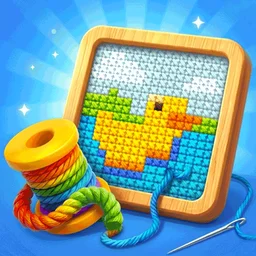
Yarn Away
Continue Playing
Arrow Games
Arrow Chain
Hexa Arrows
Logic Arrows
Escape Games
Rotate Rings
Arrow Puzzle Go
Geometry Arrow
Play Yarn Away free on Arrow Games. Pull whole strands through clear arrow exits, zoom into dense pictures, and use HINT or GUIDES to finish before time or hearts run out.
Yarn Away asks you to unravel a knitted picture by choosing arrows with a clear exit. Each arrow belongs to a whole strand of yarn: one good tap can remove a large patch of the picture. Clear every strand before the clock runs out, while keeping at least one heart.
Try Yarn Away on Arrow Games if you like finding the right order to free blocked pieces. Start with the three-arrow heart, then use zoom on the much busier banana. The soft colors make the board inviting, but the countdown gives you a reason to keep moving.
How to Play Yarn Away
- Pick an arrow and trace a straight line forward from its tip. Another strand in that line blocks the exit, even if it has the same color.
- Tap or click the arrow to pull its strand. A successful pull leaves gray stitches behind and opens space for another arrow.
- If the strand hits something and rolls back, switch to the yarn blocking its exit. Watch the hearts as well as the clock.
- Remove every strand to reach Level Clear, then choose Next Level.
In Yarn Away, an arrow controls a connected strand, so you do not need to tap every little knitted stitch. Color helps you follow the yarn; direction and empty space decide whether it can leave.
Yarn Away Level 1: A Safe Three-Pull Route
For a clear first attempt, pull the rightmost yellow arrow pointing right, then the orange arrow pointing down, then the white right arrow on the pink yarn. Wait for each strand to leave so you can see the opening it creates.
The pink arrow looks as though it should go right immediately, but other yarn lies ahead of it. Yarn Away rewards clearing that obstruction first. This opening level starts at 03:00 with three hearts.
Yarn Away Level 2: Zoom Before You Pull
The banana starts at 04:30 and has many smaller arrows. Pinch outward or move the − / + slider toward + before choosing a strand. Drag the enlarged board to inspect another area, then zoom back out when you need to check the whole exit lane.
For Yarn Away pictures after the banana, keep the same habit: scan the boundary, free a strand with a clear lane, then inspect the gap. Early pictures move on to a white goose, a ginger cat, and a watermelon. Recognizing the picture is fun; finding its exits is what gets you through.
When to Use Yarn Away HINT and GUIDES
| Control | What to do |
|---|---|
| HINT | Use it when you cannot find a next move. It makes an available strand flash and brings it into view. Tap the flashing yarn to pull it. |
| GUIDES | Activate it, then hold a strand to inspect its exit line. Green means clear; red means blocked. Release after inspecting, then tap the strand you want to pull. |
| − / + slider | Enlarge small arrows or zoom out to follow a long lane. |
| Drag / pinch | Move an enlarged board or change its zoom on a touch screen. |
| Curved arrow | Open the restart choice when you want a fresh attempt. |
| Gear | Open Settings when you need a pause or want to return Home. |
Yarn Away shows item counts by the tools. If a tool opens a video confirmation when its count is empty, choose whether to continue with that offer or return to the board. HINT selects a next move; GUIDES helps you judge a strand yourself.
Yarn Away Hearts, Rollbacks, and the Clock
The first blocked pull on a strand costs one heart. Pulling that same blocked strand again does not keep taking hearts, but it still wastes time. Once you remove its obstruction, that previously blocked strand can pull away automatically. Watch the board change before choosing your next move.
Yarn Away stops the attempt when the hearts or time run out. If a revive is offered, check its prompt before continuing; use restart when you want to try a different order from the beginning. Opening Settings pauses play, which is useful when you need to step away.
Yarn Away Pictures and Collection
Yarn Away takes you through a succession of knitted pictures. The heart teaches exit order, the banana teaches zoom, and animal and food pictures give you new outlines to read. From Home, open Collection to browse completed artwork. Locked pictures become viewable after you clear their levels.
Is Yarn Away Your Kind of Arrow Game?
Pick Yarn Away if you enjoy tracing an exit, removing a blocker, and watching a picture unravel a strand at a time. Taps and clicks are enough to start, while zoom and guides help with the denser boards. Expect timed puzzles with a small allowance for mistakes.
On Arrow Games, Arrow Chain suits you if you prefer setting off a chain with one starting tile. Arrow Cube 3D gives you a board to rotate while you look for exits.
Yarn Away FAQs
Your first visit starts with the heart tutorial. Follow the main levels with Next Level; you can learn the controls right on the board.
One arrow belongs to an entire strand. Also, a strand that rolled back earlier can leave automatically after its exit opens. Pause your tapping for a moment and read the new gaps.
Choose by arrow direction and clear lanes. Adjacent yarn of the same color can still block the exit, so check the full path before pulling.
Yes. Play Yarn Away free in your browser on Arrow Games. Tap on a phone or click on a computer, and use the zoom slider when the arrows are small.


Rotate Rings
Train Master

Tap Away Arrow

Battle Disc

Arrow Game

Fashion Girl

Garage Tycoon

Num Puz
Yarn Away
How to Play Yarn Away
Start Yarn Away with the heart: pull the rightmost yellow right arrow, the orange down arrow, then the white right arrow on pink yarn. Zoom into the banana, use HINT for a flashing next move, and activate GUIDES to inspect exits with a hold. Clear all yarn before the clock or hearts run out.