Arrow Games


















Arrow Puzzle Go

Geometry Arrow
Arrow Fall
Arrow Rescue

Silly Sky

Magic Cube Puzzle
Pigeon Pop
Continue Playing
Pigeon Pop is a colorful casual arcade game. You tap once at the right moment to peck fruit, seeds, and other food, while rotten pieces and harmful items end the round instantly. Clear the board, collect worms, and unlock new pigeon looks in the store.
Pigeon Pop is a colorful casual arcade game. You control a cute, greedy bird and peck food set in a ring. The Pigeon Pop game looks cheerful, but an open shell ends the round the instant you hit it.
You use one button. Tap when the piece in front of the beak is safe, and the bird pecks, then dances. The first few boards teach the loop. Later the food is faster, and a hurried peck ends most rounds. If you have played Cut Fruit Ninja, a wrong target here ends the round.
How to Play Pigeon Pop on Arrow Games
How to play Pigeon Pop for Arrow Games starts with Play. The pigeon waits under a ring. Tap when the piece is edible, and repeat until the board is clear. More than 300 levels sit in 13 themed groups. You can play this casual arcade online free for Arrow Games in the browser.
Leave open pistachios. Corner count is worms.
- Tap Play.
- Read the ring, then tap the safe piece once.
- Skip an open pistachio.
- Take a worm only when it sits clear.
Pigeon Pop Controls for Arrow Games
| Input | Action |
|---|---|
| Tap or click | Peck the piece in front of the pigeon |
| Play | Start the level shown on screen |
| Pause | Top-left button during a round |
| Game Modes | Yellow button on the start screen |
| Gear | Settings on the start screen |
Pigeon Pop controls for Arrow Games are still one peck. A press on an open shell ends the round immediately.
Pigeon Pop Features on Arrow Games
Pigeon Pop features for Arrow Games stay easy to start and strict later. Each board is a ring: corn, a watermelon arc, or pistachios. A clean hit plays a victory dance. Worms buy looks in My Birds.
- One tap, and the pigeon pecks
- An open shell ends the round at once
- More than 300 levels in 13 groups, getting faster as you go
- Crowns in the header fill as pecks land
What Skills Can Pigeon Pop Help You Practice?
Pigeon Pop skills for Arrow Games are the read, the wait, and the choice to skip a worm.
Reading the ring
Name the edible piece before you press. An open pistachio is not food.
Waiting out the safe window
Hold until the piece in front of the beak is clear, then press once.
Spending worms on purpose
A clear worm adds to the corner count and to My Birds. Leave one that sits in an open shell.
Tips for Playing Pigeon Pop Online on Arrow Games
Pigeon Pop tips on Arrow Games: after a few rounds, wait until the food is completely safe, then tap.
- If the shell is open, do not peck it.
- One peck, then read the ring again.
- Skip a worm that sits in an open shell.
- When the food speeds up, press later, not sooner.
Why Play Pigeon Pop on Arrow Games?
Turn the screen either way and one tap still punishes a rush. Early boards fit a commute. Later groups, across 13 themes, fit a longer sitting once the food is quick. Next to Cut Fruit Ninja, a wrong target here ends the round. You can play the Pigeon Pop game online free whenever you have a minute.
Similar Games to Pigeon Pop on Arrow Games
- Cut Fruit Ninja — food in motion and a simple cut. Pigeon Pop asks for one timed peck, and a rotten hit ends the round.
- Basket Blitz — another timing arcade where the shot has to land in a window. Here the window is a safe snack, not a hoop.
- Bubble Shooter — you aim and clear a board piece by piece. This game clears by pecks, with traps mixed into the food.
- Silly Sky — a light arcade loop you can start immediately. Pigeon Pop adds a fail state on the wrong target.
- Ping Pong Precision — precision and a short timing window. The same idea, pointed at fruit and seeds instead of a ball.
Pigeon Pop FAQs on Arrow Games
You play Pigeon Pop online in the browser on Arrow Games. Open the game and tap Play. There is nothing to download.
Pigeon Pop is a casual arcade game. You peck fruit, seeds, and other food in a ring, and you avoid open shells and harmful pieces that end the round.
Tap Play, wait until an edible piece is safe, then tap or click once. Repeat until the board is clear. More than 300 levels are split into 13 themed groups.
One peck. Tap the screen or click the mouse. Play starts the level, pause sits at the top left, and Game Modes is the yellow button on the start screen.
Peck every edible piece and do not hit an open shell or another harmful piece.
The press landed on an open shell or a harmful piece. Wait until the edible is fully clear of them.
Yes. Turn the phone either way. One tap is the whole move, in portrait or landscape.
Yes. You play the Pigeon Pop game online free in the browser, with no download.
The green face in the corner counts worms you can risk collecting in a round. You spend them in My Birds on looks such as Sparrow, Parrot, and Crow.
A short time is tempting, and a blind rush fails. On fast boards, wait a fraction of a second, then press.
They sit in the header and fill as pecks land. The corn ring shows two gold crowns and one dark crown. The watermelon arc shows three gold crowns.
Play Pigeon Pop
Fire up Pigeon Pop for a quick round — wait for the safe piece, then peck. Odds are you will stay for the next board once the food moves faster. You can play the Pigeon Pop game online free right in the browser.


Pigeon Pop
Pigeon Pop How to Play Guide
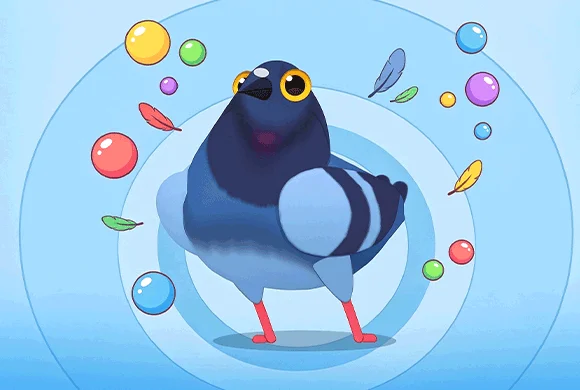
Tap the screen or click the mouse when an edible piece is in a safe spot so your pigeon pecks it. Rotten fruit and harmful items end the round at once. Clear the board one peck at a time, and spend worms on new looks in the store.